
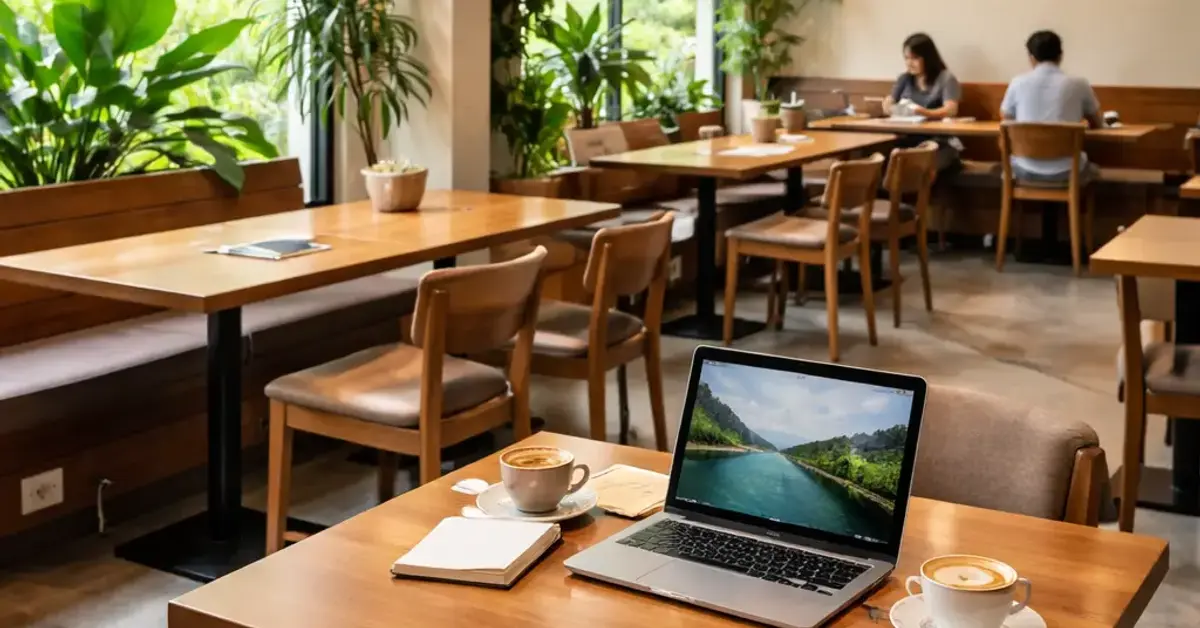
best tables for working remotely at Kooky Plate KL Key Takeaways
Kooky Plate KL is a hidden gem for digital nomads in Kuala Lumpur, combining great coffee with dedicated quiet zones.
- Focus on the back-left and mezzanine areas for the best tables for working remotely at Kooky Plate KL — these spots consistently have the lowest noise levels.
- Check for table availability before midday; the quietest tables fill up quickly with remote workers.
- Bring noise-cancelling headphones as a backup — while corners are quiet, the cafe can get lively during peak hours.
Why best tables for working remotely at Kooky Plate KL Matter for Productivity
Choosing the right table in a remote work cafe Kuala Lumpur can make or break your workday. Kooky Plate KL offers a mix of communal and private seating, but not every table is designed for focused work. The quiet corners provide a sanctuary where you can plug in, connect to fast WiFi, and settle into a productive flow without constant background chatter. Understanding which tables work best saves you time and frustration, especially during busy mornings. For a related guide, see Is Kooky Plate KL Laptop-Friendly? 5 Essential Outlet and Wi-Fi Tips.

What Makes a Table “Work-Friendly” at Kooky Plate?
Several factors come into play: proximity to power outlets, table height, seat comfort, and noise levels. The cafe’s interior is split into a front dining area (louder, more social) and a back section with a mezzanine (quieter, better for laptops). The tables in the back are the sweet spot for digital nomads.

The 8 Best Quiet Tables at Kooky Plate KL
After spending multiple afternoons testing each spot, here are the top contenders for best tables for working remotely at Kooky Plate KL.

1. The Mezzanine Corner Table (Table M1)
Features: Located on the raised mezzanine, tucked against the wall. Two power outlets within arm’s reach. Fits a single laptop and notebook comfortably.
Pros: Lowest noise level in the entire cafe; natural light from a side window; rarely crowded.
Cons: Only one person can sit here; limited legroom if you’re over 6 feet tall.
2. The Window Bench Table (Table W2)
Features: A long wooden table facing the street, positioned near a power strip. Seats two people comfortably, but ideal for solo work with extra space.
Pros: Bright natural light; easy access to the power strip; good for stretching out your laptop and notes.
Cons: Can get a bit warm in the afternoon; outside noise filters through occasionally.
3. The Back Alcove Table (Table B3)
Features: A small round table tucked into a nook behind a bookcase. One nearby power outlet.
Pros: Feels like a private office; very quiet; good for phone calls without disturbing others.
Cons: Table is small — not great for multiple monitors or papers.
4. The Long Community Table (Table C4)
Features: A hefty wooden table near the back wall, with four stools. Multiple power outlets underneath.
Pros: Great for group work or coworking with friends; sturdy surface; consistent WiFi signal.
Cons: Can get crowded with other workers; stools are not back-supportive.
5. The Solo Booth (Table S5)
Features: A booth-style seat along the back wall with a high table. One power outlet beside the seat.
Pros: Good privacy; comfortable cushioned seat; quiet corner location.
Cons: Table is narrow — might feel cramped for larger laptops or extra devices.
6. The High-Top Corner Table (Table H6)
Features: A tall table in the far right corner, two stools. Two outlets on the wall nearby.
Pros: High seating encourages better posture; away from foot traffic; good view of the entire cafe.
Cons: Stools have no backrest; not ideal for very long sessions without a break.
7. The Bookcase Nook Table (Table N7)
Features: A small table squeezed between a bookcase and the wall at the back. One power outlet nearby.
Pros: Extremely quiet; minimal foot traffic; private feel.
Cons: Very limited space; not suitable for larger setups or two people.
8. The Mezzanine Sofa Table (Table M8)
Features: A low table paired with a small sofa on the mezzanine. Power outlet under the sofa.
Pros: Super cozy and relaxed; soft seating is great for reading or brainstorming; quiet area.
Cons: Low table height not ideal for focused typing; laptop angle may strain wrists.
How to Choose Among the best tables for working remotely at Kooky Plate KL
Not every quiet table will suit your workflow. Here’s a quick checklist to match your needs with the right spot.
Assess Your Equipment Needs
If you work with a single laptop, any of the smaller tables (M1, B3, S5, N7) will work fine. For a laptop plus a second monitor or papers, the larger tables (W2, C4) offer more breathing room.
Check Power Outlet Locations
All the tables listed above have outlets within arm’s reach, but double-check the spot before settling in. Table W2 has a power strip, while M1 has a wall outlet right beside the seat — both are reliable for charging throughout the day.
Consider Noise Tolerance
The quiet corners Kooky Plate are genuinely quiet during off-peak hours (before 11:30 AM and after 2:30 PM). If you need absolute silence, go for the mezzanine tables (M1, M8) or the alcove table (B3). For moderate background hum, the community table (C4) is fine.
Tips for Securing the best tables for working remotely at Kooky Plate KL
These spots are popular. Follow these tips to get your preferred table without hassle.
- Arrive early: The quietest tables (M1, B3) fill by 9:30 AM on weekdays.
- Order a drink and a snack: Kooky Plate appreciates patrons who dine while they work. Grabbing a pastry or a main dish helps you stay welcome.
- Use a reservation: During weekends, call ahead to reserve the mezzanine corner table — they sometimes hold it for regulars.
- Bring a backup plan: If the quiet tables are taken, the front dining area is louder but still workable with headphones.
Final Recommendation
For a solo work session with maximum focus, the Mezzanine Corner Table (M1) is hands-down the best table for working remotely at Kooky Plate KL — quiet, well-lit, and with a power outlet right where you need it. If you need a bit more space or plan to collaborate, the Long Community Table (C4) is a solid runner-up. Whichever you choose, the quiet corners of this remote work cafe Kuala Lumpur will help you stay productive while enjoying great coffee and a welcoming vibe. For a related guide, see Kooky Plate Kl Vs Nearby Cafes: 8 Trusted Checks Before You Decide.
Useful Resources
For more tips on productive remote work from cafes, check out NerdWallet’s remote work cafe etiquette guide — it covers how to be a respectful patron while staying focused.
For details on Kooky Plate KL’s full menu and hours, visit the official Kooky Plate website.
Frequently Asked Questions About best tables for working remotely at Kooky Plate KL
What is the quietest time to work at Kooky Plate KL?
The quietest times are weekday mornings before 11 AM and after 2:30 PM. Avoid lunch rush (12 PM–1:30 PM) and weekend brunch hours for the most peaceful experience.
Do all quiet tables have power outlets?
All the tables listed in this article have accessible power outlets. However, outlets can sometimes be in use, so it’s a good idea to bring a power strip or extension cord just in case.
Can I reserve a specific table in advance?
Kooky Plate KL does not generally take reservations for individual tables, but regular customers sometimes can request the mezzanine corner table by calling ahead. It’s best to arrive early to secure a good spot.
Is the WiFi fast enough for video calls?
Yes, the WiFi at Kooky Plate KL is reliable and fast enough for Zoom calls, video conferencing, and large file uploads. Speed tests show around 20–30 Mbps download during peak hours.
Are there tables suitable for two people working together?
Yes, the Long Community Table (C4) and the Window Bench Table (W2) are great for two people. They provide enough space and have power outlets accessible to both seats.
Is the mezzanine area open every day?
The mezzanine is open during regular cafe hours, but it may be closed for private events on some evenings. It’s best to check with staff when you arrive.
Can I work for several hours with just one drink order?
Kooky Plate KL welcomes remote workers as long as they are genuine patrons. Ordering a coffee and a light snack is appreciated. If you stay for more than three hours, consider ordering another drink or a meal.
Do the quiet tables have natural light?
The Window Bench Table (W2) and the Mezzanine Corner Table (M1) have good natural light. Other quiet tables in the back are dimmer, so bring a small desk lamp if you need extra brightness.
Is Kooky Plate KL kid-friendly for remote work?
The quiet corners are generally free from children, but the main dining area can have families during weekends. If you need kid-free silence, choose a weekday or a table on the mezzanine.
What type of seating is most comfortable for long work sessions?
The Solo Booth (S5) and the Mezzanine Sofa Table (M8) offer cushioned seats and back support. The High-Top Corner Table (H6) is less comfortable for long periods due to backless stools.
Are there any tables with monitor stands or risers?
No. Kooky Plate does not provide monitor stands. You’ll need to bring your own if you prefer a raised screen setup. The Long Community Table (C4) is tall enough that you likely won’t need one.
Can I charge multiple devices at once?
Yes. The Window Bench Table (W2) and Long Community Table (C4) have power strips with multiple sockets. At other tables, you might need a multi-port charger or a power strip.
Is the cafe loud during lunch hours?
Yes, the cafe becomes noticeably busier and louder between 12 PM and 1:30 PM. The quiet corners remain relatively calm, but noise levels do increase slightly from the front area.
Are there lockers to store my bag while I work?
No. Kooky Plate does not offer lockers. Keep your belongings close, especially if you need to step away for a moment.
Do I need to bring my own headphones?
Not strictly, but noise-cancelling headphones are strongly recommended if you’re sensitive to ambient cafe sounds. Even the quiet corners have occasional chatter from other patrons.
Can I use a standing desk converter at any table?
Most tables have enough surface area for a compact standing desk converter, but the smaller tables (B3, N7) are too narrow. The Long Community Table (C4) is best for this purpose.
Are there tables near restrooms?
The restroom is located near the back of the cafe. The Nearest quiet tables are the Back Alcove Table (B3) and the Bookcase Nook Table (N7).
Is parking available near Kooky Plate KL?
Street parking is available but limited. The nearest parking lot is a 3-minute walk away. Many remote workers use Grab or public transport to get there.
Can I bring a second monitor?
Yes, as long as you choose a table with enough space — like the Window Bench Table (W2) or Long Community Table (C4). Smaller tables do not have sufficient room for a monitor and keyboard.
What should I do if a quiet table is occupied when I arrive?
If all quiet tables are taken, you can try the front dining area with headphones, or wait about 20–30 minutes — many remote workers leave after finishing a morning coffee. You can also ask staff if any tables are about to free up.